
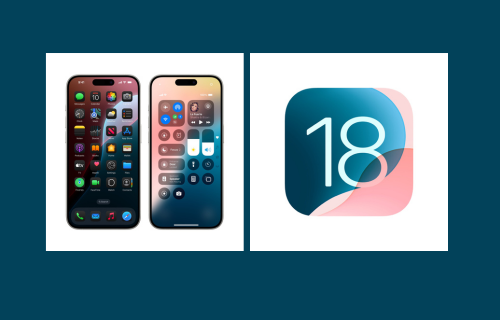
Following the recent iPhone 16 series launch, Apple has introduced iOS 18, the latest software update for iPhones. This update comes with various new features aimed at enhancing the iPhone user experience. From customization options to improved communication tools, iOS 18 brings a range of enhancements. Below is a breakdown of the new features, how to update to iOS 18, and the list of iPhone models compatible with this update.
Key Features of iPhone iOS 18
- Customization: iOS 18 allows users to organize their iPhone Home Screen, Lock Screen, and Control Center in new ways.
- Photos App: Enjoy a significant redesign of the Photos app, making it easier to revisit special moments.
- Messages: New messaging features enhance connectivity with friends and family.
- Maps: Explore a new hiking experience in Maps for a more immersive exploration.
- Wallet: Updated Wallet features provide new ways to manage cards and tickets.
- Other Features: Improvements in Safari, Journal, Notes, and more enhance functionality in everyday tasks.
Supported iPhone Models for iOS 18
Here is the complete list of iPhones compatible with iOS 18, excluding the latest iPhone 16:
- iPhone 15, iPhone 15 Plus, iPhone 15 Pro, iPhone 15 Pro Max
- iPhone 14, iPhone 14 Plus, iPhone 14 Pro, iPhone 14 Pro Max
- iPhone 13, iPhone 13 mini, iPhone 13 Pro, iPhone 13 Pro Max
- iPhone 12, iPhone 12 mini, iPhone 12 Pro, iPhone 12 Pro Max
- iPhone 11, iPhone 11 Pro, iPhone 11 Pro Max
- iPhone XS, iPhone XS Max, iPhone XR
- iPhone SE 2, iPhone SE 3
If your iPhone model is on this list, you can enjoy all the new features of iOS 18.
How to Update to iOS 18
Updating to iOS 18 is simple. Just follow these steps:
- Back up your data: Before updating, ensure your data is backed up using iCloud or iTunes.
- Connect to Wi-Fi: Make sure your device is connected to a stable Wi-Fi network.
- Check for the update:
- Go to Settings.
- Select General.
- Tap on Software Update.